
Floating player (Web)
Maintain video visibility when viewers scroll
As viewers scroll your articles, the floating player keeps your media visible and helps maintain high viewer engagement.
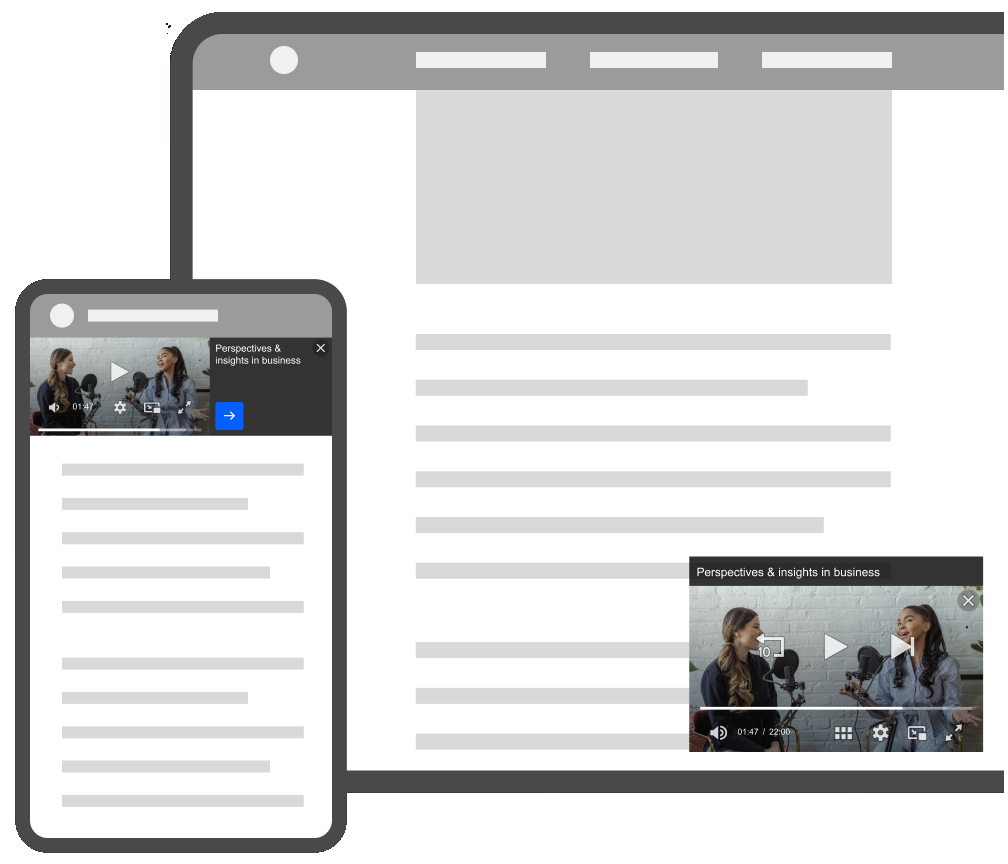
Floating players on phone and desktop/tablet devices
In the Floating player section, you can configure how the player appears and behaves across different use cases:
- Per-device configuration for phone, tablet, and desktop
- Configurable floating positions to control where the player appears on screen
- Customizable close button behavior to define when and how viewers can dismiss the player
If you have an existing, non-enhanced floating player in your JWX dashboard, you can upgrade it to the new floating player functionality. Otherwise, existing legacy behaviors remain unchanged.
Enable floating players
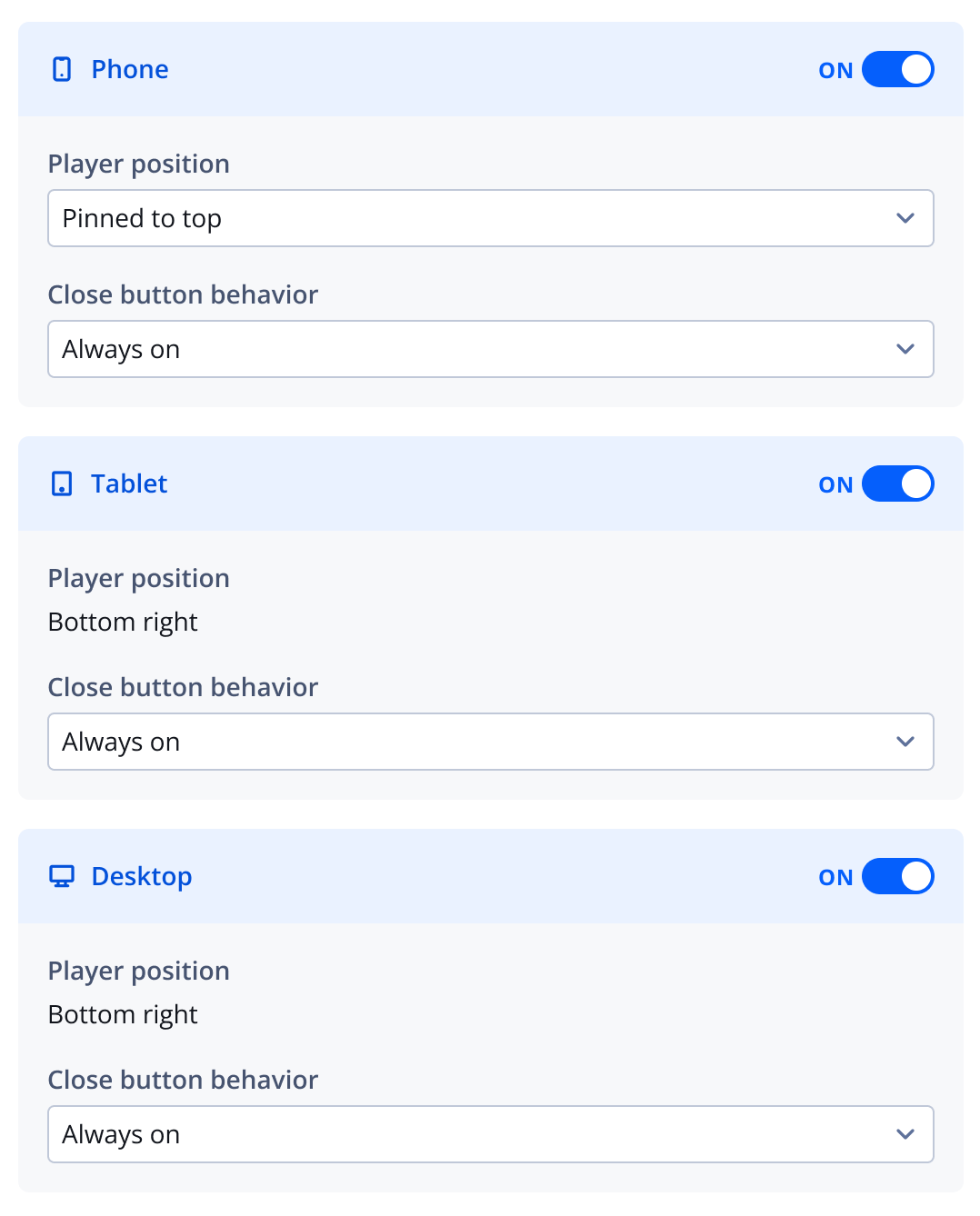
Floating player section
Follow these steps to enable a floating player:
- Click the toggle to ON for each device type that you want to display the floating player.
If you are enabling the floating player for an existing player, click the name of the player from the Players page.
- Select the floating Player position when the main embedded player is not in view.
- From the Close button behavior dropdown menu, select when the close button appears.
- Click Save. The floating player settings are applied to the player.
Upgrade existing floating players
If you have existing, non-enhanced (legacy) floating players, you can upgrade them to access the new floating player features.
All legacy players maintain their existing behaviors unless they are upgraded.

Enhanced floating player toggle
Follow these steps:
- In the Floating player section, click the Enhance floating player toggle to ON to enable the floating player feature and customize its behavior by device.
Once you enable this setting and save the player, you cannot revert to the old floating player functionality.
Updated about 1 month ago