
Manage a character ᴮᴱᵀᴬ
Learn how to manage a character
This is a beta offering. You can request access to this beta feature through your JWX representative.
By using this documentation, you are agreeing to abide by the terms of the JWP Beta Program Agreement.

Once a character is created, you can manage it from the Characters tab.
From this tab, you can:
- Edit a character’s settings
- Clone an existing character to create a variation
- Delete a character that is no longer needed
Edit an existing character
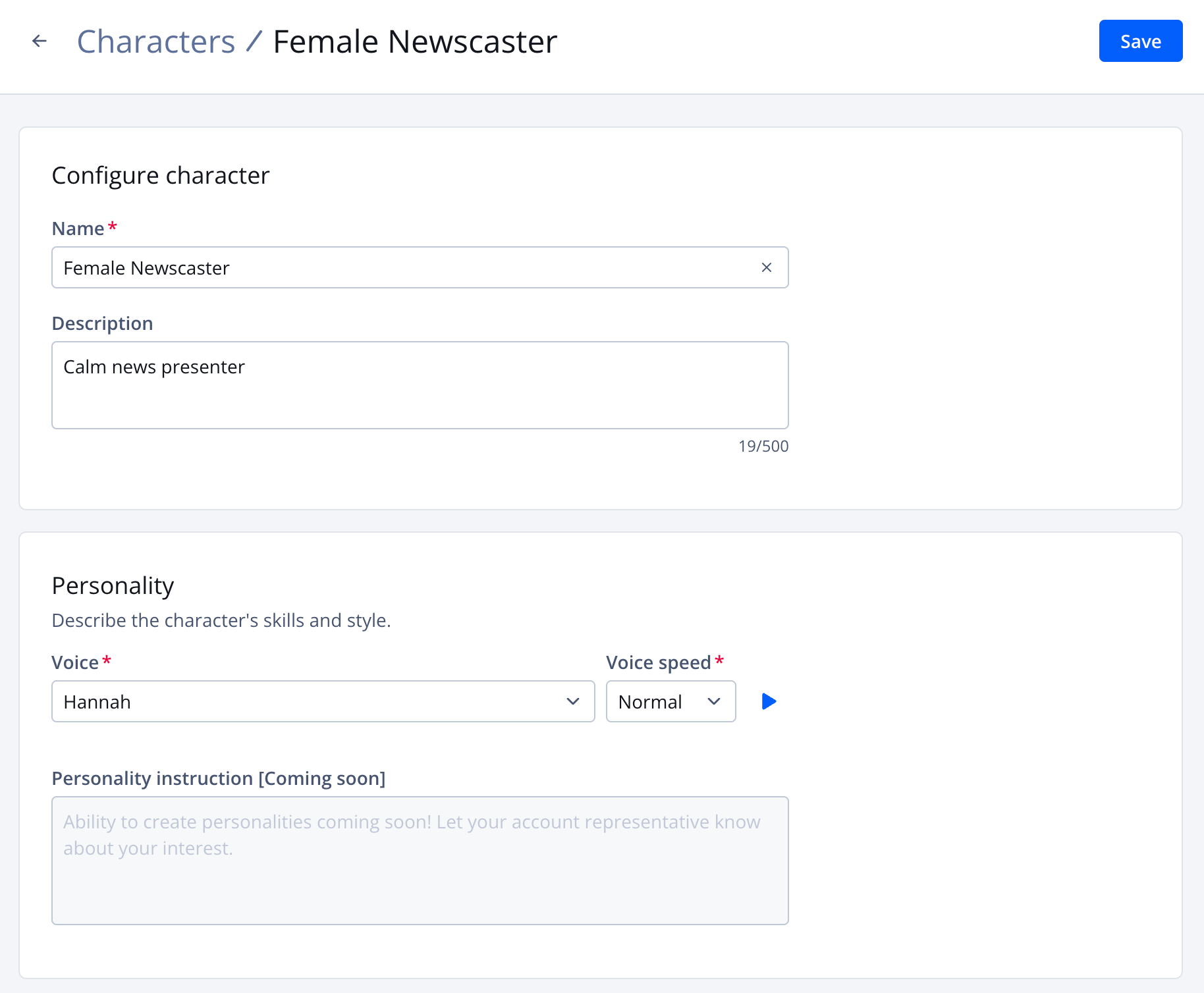
Character settings page
Follow these steps to edit a character:
-
On the Properties page, click the name of a property. The property settings appear.
-
Under JWX Studio, click Characters. The Characters tab opens.
-
(Optional) In the search text field, enter a partial or full character name to filter the list of characters.
-
In the row of a character, click ⋯ > Edit. The character settings appear.
-
Edit one or several of the character settings.
All of the settings defined when creating a character can be edited.
-
Click Save. The updated settings are saved for the character.
Clone a character
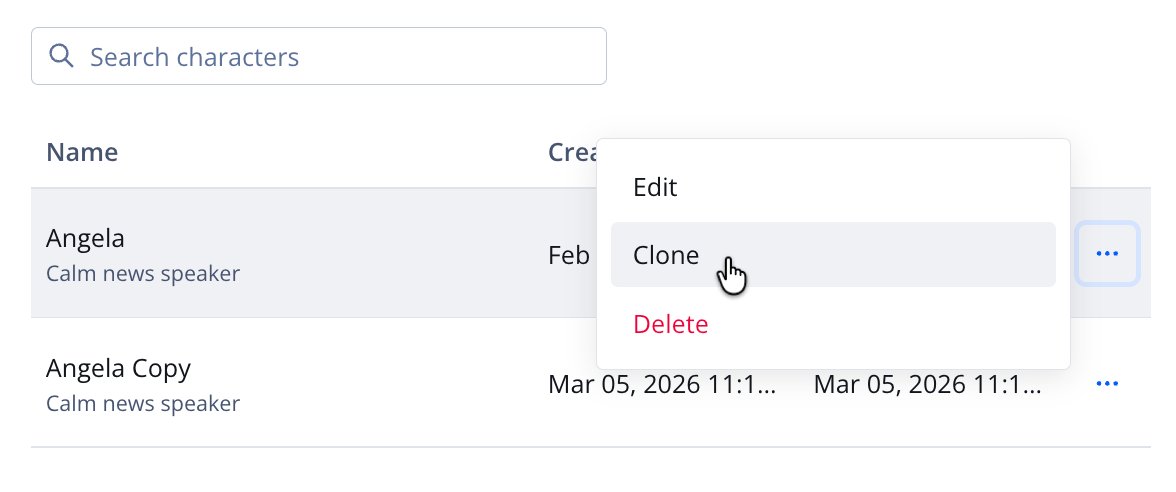
Clone option on the Characters tab
Follow these steps to clone a character:
- On the Properties page, click the name of a property. The property settings appear.
- Under JWX Studio, click Characters. The Characters tab opens.
- (Optional) In the search text field, enter a partial or full character name to filter the list of characters.
- In the row of a character, click ⋯ > Clone. A new character row appears for the cloned character.
Delete a character
Deleting a character is permanent and irreversible.
If a character is no longer needed and not associated with a transformation agent, you can delete it.
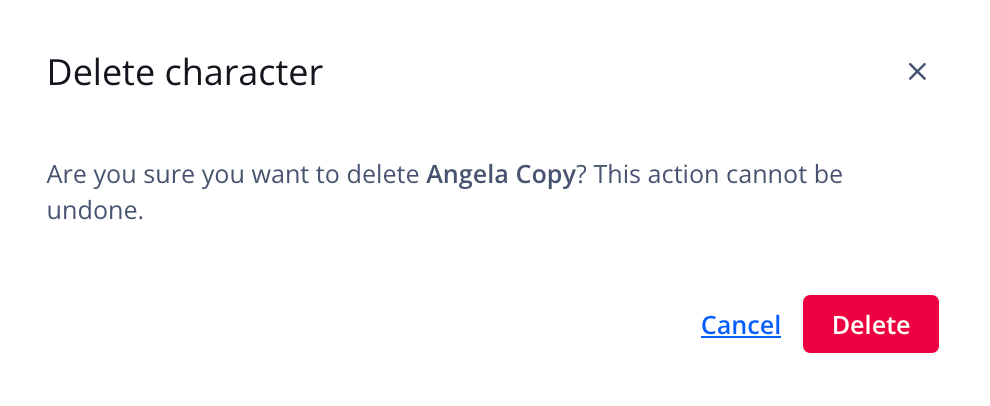
Delete character pop-up window
Follow these steps to delete a character:
- On the Properties page, click the name of a property. The property settings appear.
- Under JWX Studio, click Characters. The Characters tab opens.
- (Optional) In the search text field, enter a partial or full character name to filter the list of characters.
- In the row of a character, click ⋯ > Delete. The Delete character pop-up window appears.
- Click Delete. If not associated with any transformation agents, the character is deleted.
Updated about 1 month ago